
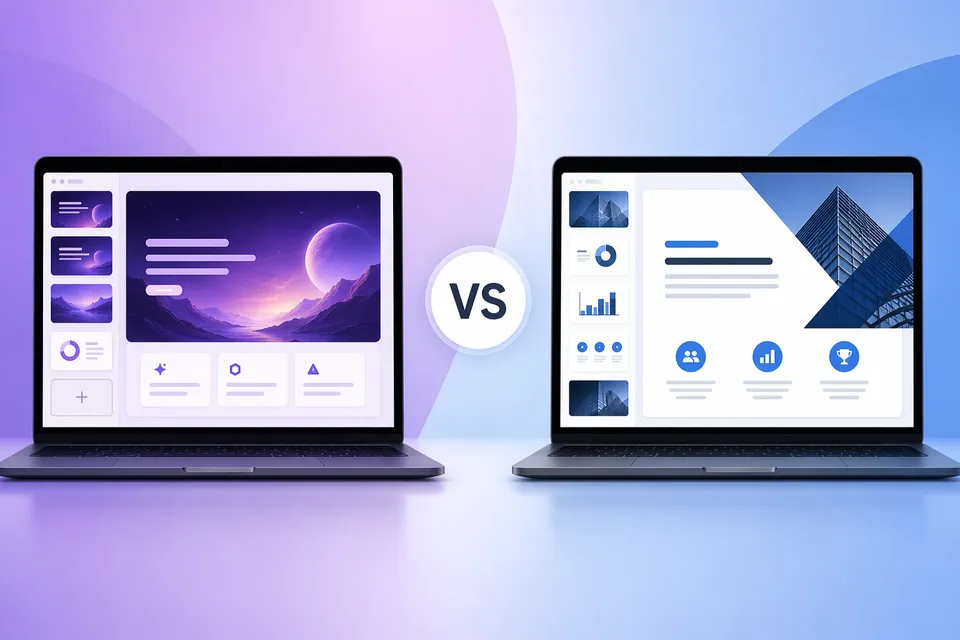
Gamma और Beautiful.ai 2026 के दो सबसे लोकप्रिय AI presentation tools हैं। दोनों text prompts से professional slides बनाते हैं, लेकिन design, pricing और collaboration के प्रति उनके दृष्टिकोण बहुत अलग हैं।
हमने दोनों tools को real-world presentations पर test किया है ताकि आप तय कर सकें कि कौन सा आपके workflow के अनुकूल है।
संक्षिप्त जवाब
Gamma चुनें यदि आप सबसे कम entry barrier, सबसे तेज़ generation speed और एक true free plan चाहते हैं। Solo creators, startups और web link या PDF के ज़रिए share की जाने वाली internal presentations के लिए सबसे अच्छा।
Beautiful.ai चुनें यदि आपको brand-consistent, polished slides चाहिए जो PowerPoint में cleanly export हों। Sales teams, consultants और enterprise workflows के लिए सबसे अच्छा जहाँ visual consistency मायने रखती है।
Free plan तुलना
दोनों tools के बीच यही सबसे बड़ा अंतर है।
| Gamma | Beautiful.ai | |
|---|---|---|
| Free access | True free plan (हमेशा के लिए) | केवल 14-day trial (credit card आवश्यक) |
| Credits/limits | 400 lifetime AI credits (~10 decks) | Trial के दौरान unlimited |
| Watermark | सभी exports पर "Made with Gamma" | कोई नहीं |
| Export formats (free) | PDF, PPTX, PNG, Google Slides | केवल PDF, static images |
| Free period के बाद | Limited credits के साथ free plan रखें | $12/mo चुकाना होगा वरना access खत्म |
Accessibility में Gamma जीतता है। आप बिना credit card के मुफ़्त शुरू कर सकते हैं और अपना account अनिश्चित काल तक रख सकते हैं। समझौता exports पर watermark है, जिसे आप हमारे browser-based tool से मुफ़्त हटा सकते हैं।
Trial quality में Beautiful.ai जीतता है। 14-day trial के दौरान आपको बिना watermark के पूरे Pro features मिलते हैं। लेकिन उसके बाद आपको pay करना होगा या access पूरी तरह खो देना होगा। .edu emails वाले students को Pro का एक free year मिलता है।
Pricing तुलना
| Plan | Gamma | Beautiful.ai |
|---|---|---|
| Free/Trial | $0 (400 credits, watermark) | 14 दिनों के लिए $0 (full Pro, no watermark) |
| Individual | $9/mo (Plus) | $12/mo (Pro) |
| Power user | $18/mo (Pro) | $12/mo (वही Pro tier) |
| Team | ~$20/seat/mo (min 2) | $40/seat/mo (min 2) |
| Enterprise | ~$40/seat/mo (min 10) | Custom pricing |
| One-off | उपलब्ध नहीं | एक presentation के लिए $45 |
Gamma हर tier पर सस्ता है सिवाय power-user के (जहाँ Beautiful.ai का single Pro plan सरल है)। Beautiful.ai का team plan Gamma से 2x महंगा है।
AI generation quality
दोनों tools text prompts से slides बनाते हैं, लेकिन नतीजे अलग महसूस होते हैं।
Gamma card-based, scrollable layouts बनाता है जो modern web pages जैसे लगते हैं। AI narrative flow, copywriting और image variety (30+ style presets) में मजबूत है। पूरा deck 60 seconds से कम में generate हो जाता है। "Gamma Agent" chat से आप slides को conversational तरीके से refine कर सकते हैं।
Beautiful.ai traditional 16:9 slides बनाता है जिनमें "Smart Slide" templates spacing और alignment को auto-adjust करते हैं। AI design consistency enforce करता है -- elements automatically snap हो जाते हैं। Layouts अधिक structured और PowerPoint जैसे महसूस होते हैं। Design automation इसकी मुख्य ताकत है।
Verdict: गति और creativity के लिए Gamma। Structure और consistency के लिए Beautiful.ai।
Export quality
यह तब मायने रखता है जब आपका audience web link के बजाय PowerPoint file प्राप्त करता है।
Gamma exports को अक्सर 15-30 minutes की cleanup चाहिए। Card-based layouts PPTX में imperfectly translate होते हैं: fonts substitute होते हैं, spacing बदलता है, gradients flatten हो जाते हैं। PDF exports कहीं cleaner हैं। सबसे अच्छे अनुभव के लिए web link से share करें।
Beautiful.ai exports traditional PowerPoint के करीब हैं लेकिन फिर भी perfect नहीं। अगर recipient के पास matching fonts installed नहीं हैं तो fonts substitute हो सकते हैं। Complex charts और data visualizations कभी-कभी images में flatten हो जाते हैं। Editable PPTX export के लिए paid plan ज़रूरी है।
Verdict: PowerPoint delivery के लिए Beautiful.ai। Web/PDF delivery के लिए Gamma। PPTX के लिए कोई भी perfect नहीं है।
Gamma-specific export issues और fixes के लिए, हमारा export quality guide देखें।
Watermark का सवाल
| Gamma | Beautiful.ai | |
|---|---|---|
| Free पर watermark | हाँ ("Made with Gamma" badge) | नहीं (trial में कोई watermark नहीं) |
| Watermark हटाएँ | Plus ($9/mo) पर upgrade करें या मुफ़्त हटाएँ | लागू नहीं |
| मौजूदा files साफ़ करें | Free tool उपलब्ध | N/A |
Gamma watermark file में एक अलग structural element है। Upgrade किए बिना इसे मुफ़्त हटाया जा सकता है -- processing आपके browser में होती है, कोई file upload ज़रूरी नहीं।
Beautiful.ai में watermark issue नहीं है क्योंकि कोई permanent free plan नहीं है। आप या तो pay करते हैं या trial के बाद access खो देते हैं।
Design और templates
Gamma: 100+ themes, custom colors और fonts (paid), AI image generation ("Gamma Imagine"), embeds (YouTube, Figma, Airtable), और एक flexible card system जो presentations, documents, websites और social content के लिए काम करता है।
Beautiful.ai: 300+ Smart Slide templates जो आपके content को auto-format करते हैं, custom brand kits (कोई भी paid plan), dynamic charts, और अधिक structured slide system। Templates consistency enforce करते हैं, जो teams के लिए बढ़िया है लेकिन creative freedom के लिए सीमित।
Verdict: Flexibility और multi-format output के लिए Gamma। Template rigor और brand enforcement के लिए Beautiful.ai।
Collaboration और teams
Gamma paid plans पर real-time collaboration देता है। Shared workspaces, लेकिन limited governance tools। Team plan ~$20/seat/mo से शुरू होता है।
Beautiful.ai में मजबूत team features हैं: real-time collaboration, shared libraries, version control, locked slides और brand guardrails। Team plan $40/seat/mo से शुरू होता है -- ज़्यादा महंगा लेकिन enterprise use के लिए अधिक mature।
Verdict: Team governance के लिए Beautiful.ai। बजट पर छोटी teams के लिए Gamma।
Analytics
दोनों tools link के ज़रिए presentations share करने पर engagement track करते हैं:
- Gamma: Views, per card time spent, scroll depth
- Beautiful.ai: View tracking, engagement metrics, audience insights
Analytics quality तुलनीय है। Engagement track करने के लिए दोनों को अपने platform (PDF/PPTX export नहीं) के ज़रिए share करना ज़रूरी है।
किसे क्या चुनना चाहिए
| आपको चुनना चाहिए... | यदि आप... |
|---|---|
| Gamma | Free plan, सबसे तेज़ generation, web-native sharing, या multi-format output (docs, sites, social) चाहते हैं |
| Beautiful.ai | Brand-consistent PowerPoint slides, team governance चाहिए, या पहले दिन से pay करने को तैयार हैं |
| Neither | Pixel-perfect offline PowerPoint चाहिए (इसके बजाय PowerPoint + Copilot इस्तेमाल करें) |
हमारा verdict
Gamma (4/5) अधिकांश individuals और startups के लिए बेहतर tool है। Free plan, कम pricing और तेज़ AI generation इसे आसान विकल्प बनाते हैं। Watermark मुख्य downside है, लेकिन इसे मुफ़्त हटाया जा सकता है।
Beautiful.ai (3.5/5) उन teams के लिए बेहतर tool है जिन्हें structured, brand-consistent slides चाहिए। Free plan की कमी casual users के लिए dealbreaker है, और ऊँची team pricing जुड़ती जाती है।
अगर आप अनिश्चित हैं, तो Gamma के free plan से शुरू करें। अगर आपको cleaner PowerPoint exports और सख्त brand control चाहिए, तो Beautiful.ai का 14-day trial आज़माएँ।
अक्सर पूछे जाने वाले सवाल
क्या Beautiful.ai free है? नहीं। Beautiful.ai 14-day free trial देता है जिसमें full Pro features (credit card आवश्यक) शामिल हैं। उसके बाद plans $12/month से शुरू होते हैं। Valid .edu emails वाले students को Pro का एक free year मिल सकता है।
क्या Beautiful.ai पर watermark है? नहीं। न trial और न paid plans में exports पर कोई watermark या branding है।
क्या Gamma, Beautiful.ai से सस्ता है? हाँ, हर tier पर। Gamma के free plan का Beautiful.ai में कोई equivalent नहीं। Gamma Plus ($9/mo) Beautiful.ai Pro ($12/mo) से सस्ता है। Gamma का team plan (~$20/seat) Beautiful.ai ($40/seat) का आधा खर्च है।
किसकी PowerPoint export quality बेहतर है? Beautiful.ai थोड़े cleaner PPTX files बनाता है क्योंकि इसके layouts traditional 16:9 slides के करीब हैं। Gamma के card-based system को अक्सर ज़्यादा cleanup चाहिए। कोई भी perfect नहीं है।
क्या मैं बिना pay किए Gamma watermark हटा सकता हूँ? हाँ। Watermark file में एक अलग structural element है। आप हमारे browser-based tool से इसे मुफ़्त हटा सकते हैं। कोई upload नहीं, कोई signup नहीं, और आपकी files कभी आपके device से बाहर नहीं जातीं।
Students के लिए कौन बेहतर है? दोनों में student-friendly options हैं। Gamma का free plan स्थायी रूप से free है (400 credits)। Beautiful.ai .edu email के साथ students को Pro का एक free year देता है -- ज़्यादा features लेकिन समय-सीमित।