
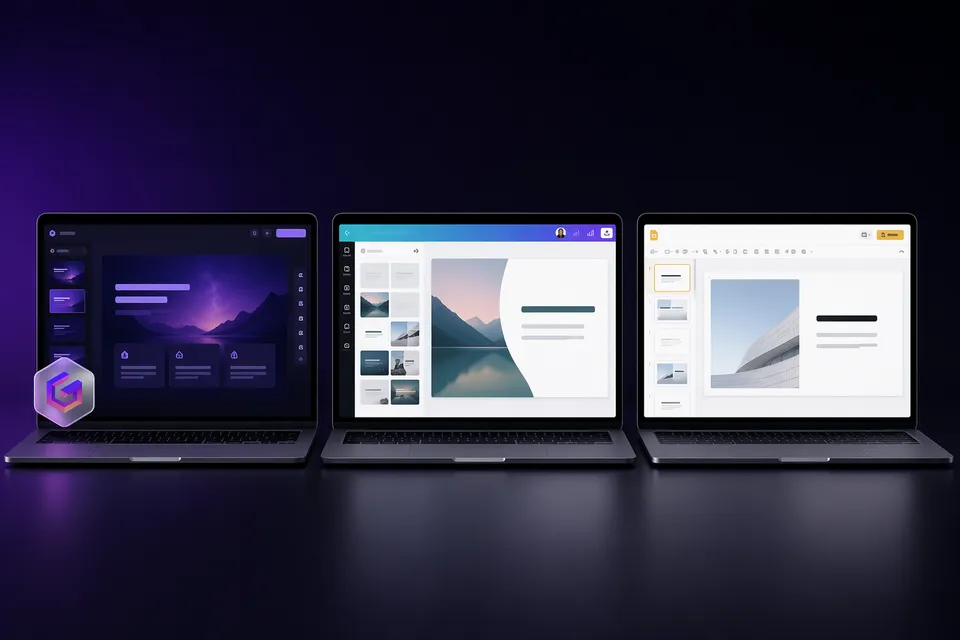
Gamma and Canva are the two most popular tools for creating presentations in 2026, but they take fundamentally different approaches. Gamma is an AI presentation generator. Canva is a design platform with AI features bolted on.
We tested both on the same prompts and real-world workflows to help you pick the right one.
The short answer
Choose Gamma if you want the fastest path from idea to finished deck. Best for people who hate designing slides and want AI to handle everything.
Choose Canva if you want a versatile design tool that does presentations alongside social graphics, videos, and documents. Best for people who enjoy customizing designs.
AI generation compared
This is where the tools diverge most.
Gamma generates entire presentations from a single text prompt. Describe your topic in a sentence, and you get a complete 10-20 slide deck with text, images, layouts, and visual hierarchy in under 60 seconds. The "Gamma Agent" lets you refine slides with natural language ("make slide 5 more visual," "add a comparison table").
Canva Magic Design generates presentation layouts from a prompt or uploaded content, but the output is more of a starting point. You get template suggestions and auto-populated slides, but significant manual work is needed to reach a polished result. Magic Design works best as a shortcut to template selection rather than a full generation engine.
Verdict: Gamma for full AI generation. Canva for template-assisted design.
Free plan comparison
| Gamma | Canva | |
|---|---|---|
| Free access | Forever (400 lifetime credits) | Forever (limited AI uses/month) |
| AI limits | 400 one-time credits (~10 decks) | 200 standard AI uses/month (resets) |
| Watermark | "Made with Gamma" on all exports | Only on premium content elements |
| Templates | 100+ themes | 250,000+ templates |
| Export formats | PDF, PPTX, PNG, Google Slides | PDF, PPTX, JPG, PNG, MP4 |
| Beyond presentations | Docs, websites, social content | Everything (social, video, print, docs) |
Canva wins on sustainability. Monthly-resetting AI credits mean you can use it indefinitely. Gamma's 400 lifetime credits run out after ~10 presentations.
Gamma wins on AI output quality. A single Gamma prompt produces a more polished, ready-to-present deck than Canva's Magic Design.
Watermark nuance: Gamma's watermark appears on every free export. Canva only watermarks premium content elements -- if you stick to free assets, exports are clean. However, Magic Design often suggests premium elements, making watermark-free design harder in practice.
Pricing
| Plan | Gamma | Canva |
|---|---|---|
| Free | $0 (400 credits, watermark) | $0 (200 AI uses/month) |
| Individual | $9/mo (Plus) | $13/mo (Pro) |
| Team | ~$20/seat/mo | ~$10/seat/mo (Teams) |
| Enterprise | ~$40/seat/mo | Custom |
Gamma is cheaper for individuals. Canva is cheaper for teams and offers far more beyond presentations.
PPTX export quality
Gamma: Card-based layouts often need 15-30 minutes of cleanup in PowerPoint. Fonts substitute, spacing shifts, and gradients flatten. PDF exports are much cleaner.
Canva: Simple layouts export cleanly. Complex designs with custom graphics, layered effects, or Canva-specific features often convert to rasterized images. Charts may become static. Editability is limited for design-heavy slides.
Verdict: Neither is perfect. Gamma preserves text editability better. Canva preserves visual fidelity better for simpler designs. For critical PowerPoint delivery, both need post-export review.
For Gamma-specific export fixes, see our export quality guide.
The watermark question
| Gamma | Canva | |
|---|---|---|
| Watermark on free | Always ("Made with Gamma" badge) | Only on premium content |
| Remove watermark | Upgrade ($9/mo) or remove free | Buy the element or upgrade to Pro |
| Clean existing files | Free tool available | Not applicable |
Gamma's watermark is a removable structural element. You can strip it for free without upgrading. Canva's watermark is tied to individual premium assets and cannot be removed without licensing them.
Design quality and templates
Gamma: Modern, card-based designs with consistent visual systems. AI picks layouts, fonts, and images automatically. The result looks professional but can feel repetitive after multiple decks. Custom branding requires a paid plan.
Canva: 250,000+ templates across every style imaginable. Massive library of photos, icons, illustrations, and videos. Far more creative freedom, but it requires design skills (or patience) to achieve a polished result. The free tier has extensive resources.
Verdict: Canva for design variety and customization. Gamma for consistent, no-effort professional output.
Collaboration
Gamma: Real-time collaboration on paid plans. Basic sharing on free.
Canva: Real-time collaboration on all plans (including free). Comments, version history, and team features are mature. Canva has a significant edge here.
Verdict: Canva, clearly.
Beyond presentations
Gamma: Also generates documents, websites, and social content. Multi-format output from a single prompt is genuinely useful.
Canva: Does everything -- social media graphics, videos, print materials, websites, whiteboards, documents, and more. It is a full creative suite, not just a presentation tool.
Verdict: Canva for breadth. Gamma for presentation-specific depth.
Who should pick which
| You should pick... | If you... |
|---|---|
| Gamma | Want the fastest AI-generated decks, prefer web sharing, and need occasional clean exports |
| Canva | Want a versatile design tool, enjoy customizing layouts, or need team collaboration on free |
| Both | Use Gamma for rapid AI drafts, then export to Canva or PowerPoint for final polish |
Our verdict
Gamma (4/5) is the better pure AI presentation tool. It generates more polished, complete decks faster than any competitor. The free-plan watermark is the main downside, but it is free to remove.
Canva (4/5) is the better overall creative tool. For presentations specifically, it requires more manual work but offers far more customization and a more sustainable free plan.
If you only make presentations, start with Gamma. If you need one tool for all your design work, choose Canva.
Frequently asked questions
Is Gamma better than Canva for presentations? For AI-generated presentations, yes. Gamma produces more polished, complete decks from a single prompt. For template-based design with manual customization, Canva is more flexible.
Does Canva have a watermark on presentations? Only on premium content elements. If you use exclusively free assets and templates, Canva exports are watermark-free. Gamma's free plan watermarks every export regardless of content.
Which has better PPTX export? Both are imperfect. Gamma preserves text editability better. Canva preserves visual appearance better for simpler designs. For critical PowerPoint files, both need review after export.
Can I use Gamma and Canva together? Yes. A common workflow: generate a deck in Gamma for speed, export as PPTX, then import into Canva for design customization. Or use Gamma for web-shared decks and Canva for printed/social materials.
Which is better for students? Gamma is better for generating academic presentations quickly. Canva Education gives students free Pro access with no watermark -- better for ongoing use. Both are strong choices for students.
Can I remove the Gamma watermark without paying? Yes. The watermark is a separate structural element. Remove it for free in your browser -- no upload, no signup. Canva's premium content watermarks cannot be removed the same way.