
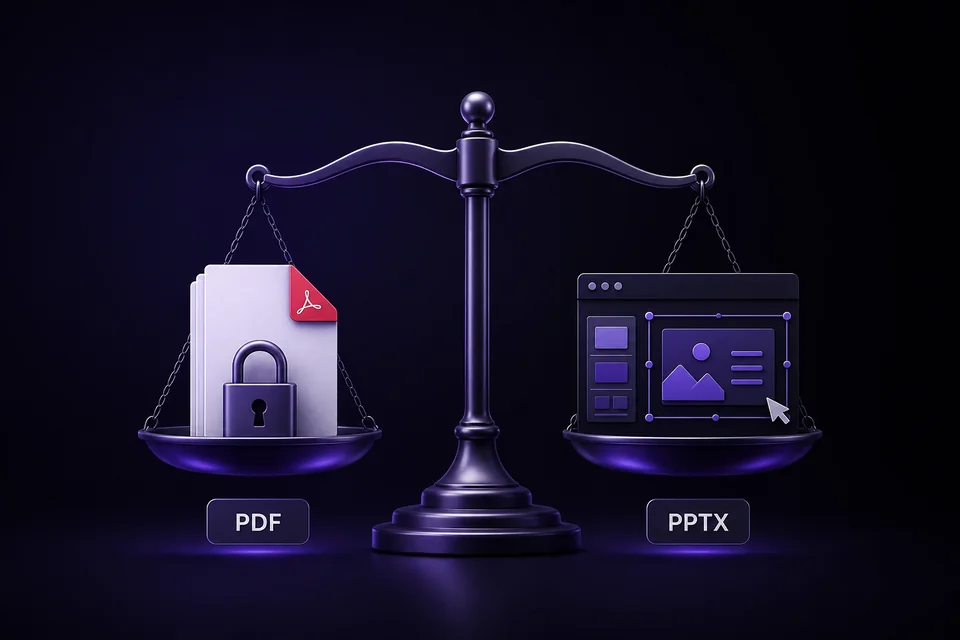
Gamma lets you export a presentation as either a PDF or a PowerPoint file, but the two formats solve different problems. PDF is usually the better choice when the design is finished and you want everyone to see the same result. PPTX is better when another person needs to edit the slides after export.
The choice also affects layout fidelity, fonts, interactive elements, file size, and how you remove the "Made with Gamma" watermark. This guide compares Gamma PDF vs PPTX exports so you can choose the right format before sending a deck to a client, teacher, or team.
Quick answer: PDF for delivery, PPTX for editing
Choose PDF when:
- The presentation is final
- Visual consistency matters more than editability
- The recipient only needs to read, print, or present it
- You are submitting a report, portfolio, proposal, or school assignment
- You do not know which presentation software the recipient uses
Choose PPTX when:
- The recipient must edit the slides
- Your team works in Microsoft PowerPoint
- You need to reuse individual slides in another deck
- A client requires an editable source file
- You plan to import the presentation into Google Slides
If you only need to share the presentation online, a live Gamma link may preserve animations and interactive blocks better than either static format. For a downloadable final file, however, PDF is the safest default.
Gamma PDF vs PPTX comparison
| Feature | Gamma PDF export | Gamma PPTX export |
|---|---|---|
| Editing after export | Very limited | Fully editable in PowerPoint |
| Layout consistency | Usually highest | May require cleanup |
| Fonts | Embedded in the PDF | Embedded when supported by the viewing app |
| Animations and interactions | Flattened | Some web-native effects cannot transfer |
| Printing | Excellent | Depends on PowerPoint settings |
| Opening on different devices | Consistent | Can vary by app and device |
| Import into Google Slides | Not editable as slides | Yes, upload the PPTX |
| Best for | Final delivery | Collaboration and revision |
| Free-plan Gamma watermark | Included | Included |
| GammaRemover support | PDF tool | PPTX tool |
Gamma's official export guide lists PDF, PNG, and PowerPoint as downloadable formats. It also notes that exported content follows Present Mode rather than Edit Mode, so preview the presentation before downloading either file type.
When a Gamma PDF export is the better choice
PDF freezes each Gamma card into a stable page. That makes it well suited to situations where you want the recipient to see the presentation exactly as you approved it.
Client-ready and formal delivery
A client proposal, investor update, course submission, or portfolio should not unexpectedly reflow when opened on another computer. PDF avoids most font substitution and layout movement because the page has already been rendered.
It is also easy to open on Windows, macOS, phones, tablets, and browsers without requiring PowerPoint. If the recipient does not need to edit your content, sending a PDF removes unnecessary compatibility risks.
Printing and offline reading
PDF is designed for fixed pages. Margins, charts, images, and text remain in predictable positions when printed. It is therefore a better fit for handouts, reports, workshop materials, and documents that people will read rather than present as editable slides.
Preserving the closest visual match
Gamma is a web-native, card-based editor. Some layouts and effects do not map perfectly to traditional PowerPoint objects. PDF captures the rendered appearance instead of rebuilding the page from editable shapes, so it will generally stay closer to what you saw in Gamma.
The tradeoff is simple: the design is stable because most of it is no longer conveniently editable. Choose PDF only after the content has been reviewed.
When a Gamma PPTX export is the better choice
PPTX is the right choice when the exported presentation is the beginning of another editing step rather than the final deliverable.
Team editing in PowerPoint
A PowerPoint export allows teammates to change text, replace images, apply a company template, add speaker notes, and combine slides with an existing deck. This is important in organizations where the final presentation must live in Microsoft 365.
Client handoff with editable source files
Some clients require both a final PDF and an editable PowerPoint file. In that case, export both:
- Send the PDF as the approved visual reference.
- Send the PPTX as the editable working file.
- Tell the recipient that minor layout differences may appear in PowerPoint.
This two-file workflow prevents confusion about which version represents the final design.
Moving a Gamma deck into Google Slides
The practical route to Google Slides is to export a PPTX, then upload it to Google Drive and open it with Google Slides. Google Slides may substitute fonts or simplify unsupported PowerPoint features, so review every slide after the import.
For a full cleanup workflow, see how to remove the Gamma watermark in Google Slides.
What can change in a PPTX export?
PowerPoint and Gamma use different layout systems. Gamma renders web-based cards, while PowerPoint uses positioned slide objects. Exporting to PPTX requires translating between those models.
Check these areas after export:
- Fonts: Gamma can embed theme fonts, but the app opening the PPTX must support embedded fonts. Google Slides may replace them.
- Text wrapping: A substituted font or different text-box measurement can move line breaks.
- Complex layouts: Dense multi-column cards may need spacing adjustments.
- Animations: Web transitions and interactive blocks do not always have a PowerPoint equivalent.
- Media: Embedded web content may become a static preview or image.
- Charts and diagrams: Confirm their size, labels, and editability.
Gamma continues to improve export fidelity, so old advice that every custom font will break is no longer accurate. Still, a final slide-by-slide review is essential. Our detailed Gamma PPTX export issues guide explains the common problems and fixes.
How the watermark works in PDF and PPTX
Gamma's free plan adds "Made with Gamma" branding to exported files. Paid plans can export without the badge when the presentation belongs to the paid workspace.
For files you created and exported yourself, GammaRemover supports both formats:
- Use the Gamma PDF watermark remover for a fixed PDF
- Use the Gamma PPTX watermark remover for an editable PowerPoint file
Both tools process supported branding elements locally in your browser. Your file is not uploaded to a server. Keep the original export as a backup and review the cleaned version before sharing it.
If you have not exported yet, choose the format based on the recipient's needs first. Do not convert a PDF back into PowerPoint just to make it editable; that usually produces a less usable result than exporting a fresh PPTX from Gamma.
Best format by use case
| Use case | Recommended format | Why |
|---|---|---|
| Send a final proposal to a client | Stable design on every device | |
| Submit a school assignment | Easy to open and grade | |
| Hand off slides to an editing team | PPTX | Text and objects remain editable |
| Import into Google Slides | PPTX | Google Slides can open PowerPoint files |
| Print handouts | Predictable page layout | |
| Merge slides into an existing deck | PPTX | Individual slides can be reused |
| Archive the approved version | Preserves the final appearance | |
| Provide both final and source files | PDF + PPTX | One reference file and one editable file |
When in doubt, ask one question: Will the recipient need to edit the presentation? If the answer is no, choose PDF. If the answer is yes, choose PPTX and budget a few minutes for review.
Export and cleanup checklist
Before sending either format:
- Open Present Mode in Gamma and check every card.
- Confirm that charts, images, links, and page breaks are correct.
- Export PDF for fixed delivery or PPTX for editing.
- If your own free-plan export contains branding, process it with the appropriate GammaRemover tool.
- Open the result in the software your recipient is likely to use.
- Check the first page, last page, fonts, image crops, and clickable links.
- Keep the original Gamma export as a backup.
For more export options, read how to export Gamma without branding and our complete Gamma watermark removal guide.
Frequently asked questions
Is Gamma PDF better than PPTX?
PDF is better for final delivery because it preserves the approved layout. PPTX is better when someone needs to edit the slides. Neither format is universally better; the correct choice depends on what happens after export.
Does Gamma export directly to PowerPoint?
Yes. Choose PowerPoint from Gamma's export menu to download a PPTX file. Review the file in PowerPoint because some web-native layouts and effects may translate differently.
Can I edit a Gamma PDF after exporting it?
You can annotate or make limited edits with a PDF editor, but it is not a good replacement for the original Gamma deck or a PPTX export. If substantial editing is expected, export to PPTX instead.
Which format preserves Gamma's design best?
PDF usually preserves the rendered design most consistently. PPTX prioritizes editability, which means fonts, spacing, media, or complex layouts may need adjustment.
Can I remove the Gamma watermark from both formats?
GammaRemover supports compatible branding elements in both your own PDF and PPTX exports. Use the format-specific PDF tool or PPTX tool, then review the output before sharing.