
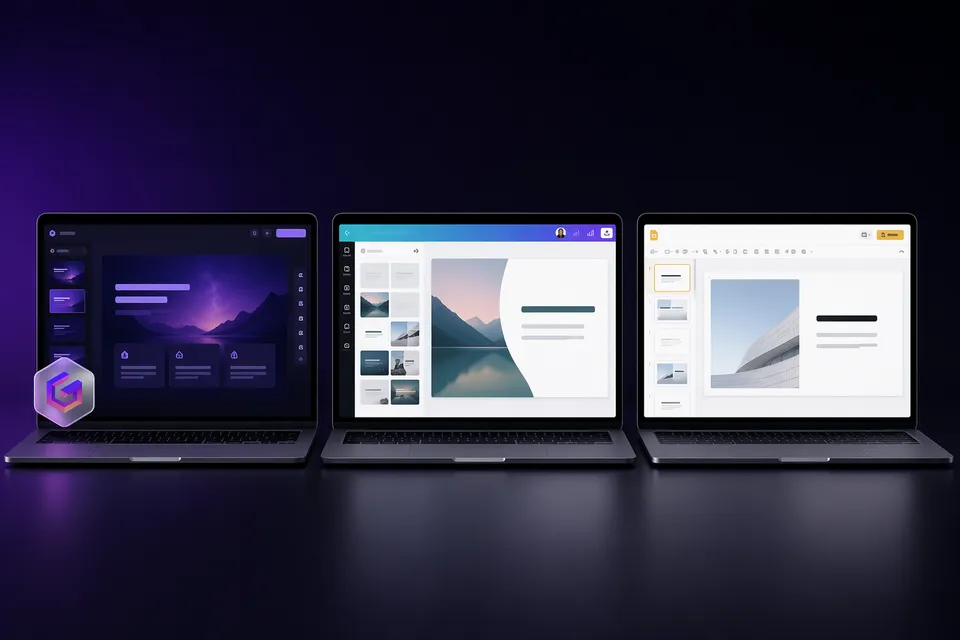
Gamma एक text prompt से एक मिनट से भी कम समय में पूरी presentation बना देता है। PowerPoint हर slide पर हर element पर pixel-level control देता है। ये दोनों एक ही समस्या को विपरीत दिशाओं से हल करते हैं, और सही चुनाव इस पर निर्भर करता है कि आप speed या precision में से क्या ज्यादा महत्व देते हैं।
हमने ठोस तुलना के लिए दोनों को समान real-world tasks पर test किया।
संक्षिप्त जवाब
Gamma चुनें अगर आप idea से finished deck तक सबसे तेज़ रास्ता चाहते हैं। आप content बताते हैं; AI design, layout और images संभालता है। Internal meetings, pitch drafts, और जो भी slides design करना पसंद नहीं करते, उनके लिए सबसे अच्छा।
PowerPoint चुनें अगर आपको charts, data, animations और branding पर exact control चाहिए। Formal client deliverables, data-heavy reports, और जहाँ .pptx required format है, वहाँ सबसे अच्छा।
AI features की तुलना
| Gamma | PowerPoint (Microsoft 365) | |
|---|---|---|
| Full deck from prompt | हाँ (30-60 seconds) | Copilot outline + basic slides बनाता है |
| Image generation | Built-in (Gamma Imagine, multiple AI models) | Copilot images suggest कर सकता है; limited built-in generation |
| Natural language editing | "Make slide 5 more visual" काम करता है | Copilot simple requests संभालता है; complex edits के लिए manual work चाहिए |
| Smart layouts | AI हर slide के लिए layouts चुनता है | Designer existing content के लिए layouts suggest करता है |
| Template variety | 100+ AI themes | Microsoft + third-party के via 1000s templates |
Generation में Gamma जीतता है। एक ही prompt से images और hierarchy के साथ complete, styled deck बन जाता है। PowerPoint Copilot मदद करता है लेकिन manual slide building की जगह नहीं लेता।
Precision में PowerPoint जीतता है। किसी भी element को किसी भी pixel पर ले जाएँ। Gamma का card-based system तेज़ है लेकिन bespoke layouts के लिए कम flexible है।
Free plan की तुलना
| Gamma | PowerPoint | |
|---|---|---|
| Free access | हाँ (400 lifetime credits) | Web version free; desktop के लिए Microsoft 365 ($6.99/mo+) चाहिए |
| AI features free | हाँ (credit limit के भीतर) | Copilot के लिए Microsoft 365 Copilot add-on (~$30/mo) चाहिए |
| Watermark | सभी free exports पर "Made with Gamma" | कोई नहीं |
| Export formats | PDF, PPTX, PNG | PPTX, PDF, PNG, ODP |
| Offline editing | नहीं (केवल browser) | हाँ (desktop app) |
Clean exports में PowerPoint जीतता है। Free web version में भी कभी watermark नहीं। Gamma के free exports सभी पर Made with Gamma badge होता है, हालाँकि आप browser-based tool से इसे मुफ्त में हटा सकते हैं।
AI access में Gamma जीतता है। PowerPoint में AI generation पाने का मतलब है Microsoft 365 और Copilot add-on दोनों के लिए भुगतान। Gamma के free plan में AI generation शुरू से ही शामिल है।
PPTX export quality
यह तब मायने रखता है जब आप Gamma में बनाते हैं लेकिन PowerPoint में present करते हैं, जो कई users करते हैं।
Gamma .pptx files export करता है, लेकिन conversion perfect नहीं होती:
- Fonts shift हो सकते हैं अगर Gamma web fonts इस्तेमाल करता है जो PowerPoint में locally installed नहीं हैं।
- Animations and transitions Gamma से partially खो जाते हैं या simplified हो जाते हैं।
- Layouts थोड़े drift कर सकते हैं, खासकर gradients, shadows और layered elements।
- Watermark slide master पर होता है (individual slides पर नहीं), इसलिए normal view में आप इसे click नहीं कर सकते। इसे master से हटाना होगा, या dedicated removal tool इस्तेमाल करें।
अगर PPTX compatibility critical है, तो PowerPoint-native workflows इन issues से पूरी तरह बचते हैं।
Collaboration और sharing
| Gamma | PowerPoint | |
|---|---|---|
| Real-time co-editing | हाँ (browser) | हाँ (web + desktop) |
| Sharing without software | Web link (install की जरूरत नहीं) | PowerPoint या browser चाहिए |
| Comments and reactions | Built-in | Built-in |
| Analytics (who viewed) | हाँ (Pro plan) | Limited (SharePoint के via) |
| Version history | हाँ | हाँ |
Frictionless sharing में Gamma जीतता है। Recipients बिना login या software के browser में देखते हैं। PowerPoint files के लिए app या web viewer चाहिए, और formatting environments के बीच बदल सकती है।
Pricing comparison
| Plan | Gamma | PowerPoint |
|---|---|---|
| Free | $0 (400 credits, watermark) | $0 (केवल web, no Copilot) |
| Individual | $9/mo (Plus, no watermark) | $6.99/mo (Microsoft 365 Personal) |
| With AI | $9/mo (included) | ~$37/mo (365 + Copilot add-on) |
| Team | ~$20/seat/mo | $12.50/seat/mo (365 Business) + $30/seat Copilot |
AI-powered creation के लिए Gamma सस्ता है। Full AI $9/mo पर vs PowerPoint with Copilot के लिए $37/mo+। अगर आपको बिना AI के केवल manual editing चाहिए तो PowerPoint सस्ता है।
किसे क्या चुनना चाहिए
| Use case | बेहतर विकल्प | क्यों |
|---|---|---|
| Idea से quick internal deck | Gamma | 60-second generation vs hours of manual work |
| Exact brand guidelines के साथ client pitch | PowerPoint | Pixel-level control, कोई conversion artifacts नहीं |
| Student presentation | Gamma | Free AI generation; clean submission के लिए watermark हटाएँ |
| Data-heavy quarterly report | PowerPoint | Native charts, pivot table integration, precise formatting |
| Startup pitch deck (first draft) | Gamma | Iterate करने की speed; final polish के लिए PPTX में export |
| Corporate environment (IT mandated) | PowerPoint | Compliance, SSO, admin controls, offline access |
हमारा verdict
Drafts के लिए Gamma, finals के लिए PowerPoint। 2026 में सबसे मजबूत workflow है Gamma से seconds में first version generate करना, फिर precision finishing के लिए PowerPoint में export करना। अगर आप यह route अपनाते हैं, तो sharing से पहले watermark हटाने के लिए पहले export साफ करें।
अगर आपकी presentations informal या internal हैं, तो अकेला Gamma काफी है। अगर formal, data-heavy, या client-facing हैं, तो PowerPoint की precision की जगह लेना मुश्किल है।
अक्सर पूछे जाने वाले सवाल
क्या मैं PowerPoint के अंदर Gamma इस्तेमाल कर सकता हूँ? सीधे नहीं। Gamma .pptx files export करता है जो PowerPoint में खुलती हैं, लेकिन कोई plugin या integration नहीं है। Workflow है: Gamma में बनाएँ, export करें, PowerPoint में खोलें, refine करें।
क्या PowerPoint में Gamma जैसा AI है? Microsoft 365 Copilot prompts से slides generate कर सकता है, लेकिन इसके लिए paid add-on (~$30/mo 365 के ऊपर) चाहिए। Gamma अपने free plan में AI generation शामिल करता है।
क्या Gamma-to-PowerPoint export reliable है? यह ज्यादातर presentations के लिए काम करता है, लेकिन minor font और layout differences की उम्मीद करें। Complex animations और कुछ web-only features conversion में नहीं बचते। हमारी Gamma PPTX export quality guide देखें।
क्या मैं PowerPoint export से Gamma watermark हटा सकता हूँ? हाँ। Watermark slide master पर एक shape है। आप PowerPoint में manually हटा सकते हैं या file खोलने से पहले साफ करने के लिए हमारा one-click browser tool इस्तेमाल करें।